

Less time marking.
More time teaching.
ScriptMark turns handwritten and typed work into thoughtful feedback, guided by your rubric. You make the final call.
AI drafts. Teachers decide.
 ScriptMark/Teacher reviewProduct preview
From first draft to the bigger picture
Your marking workflow.
Thoughtfully connected.
One place to review a script, guide a student, and see what your class needs next.
Every suggestion is yours to shape.
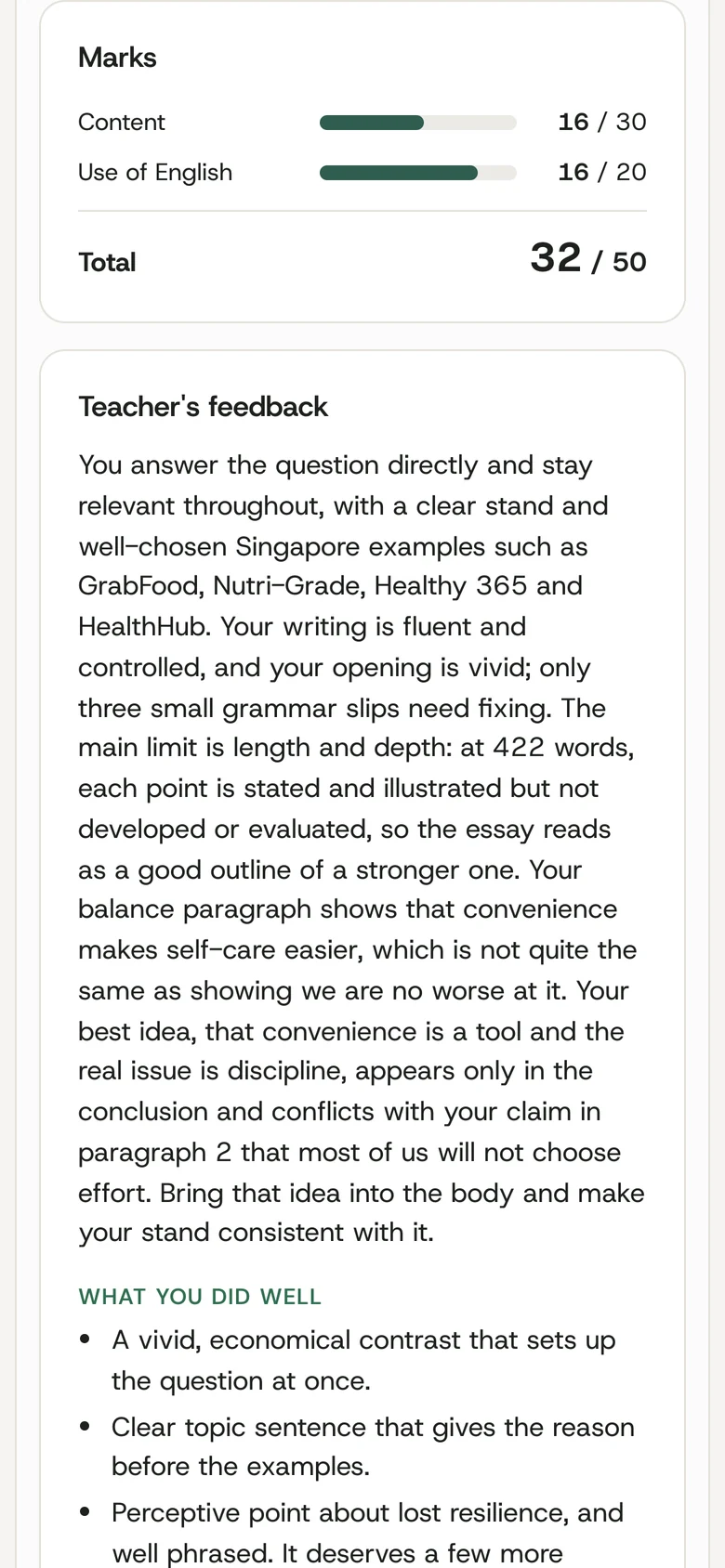
Accept, edit or reject comments. Adjust marks and add the feedback only you can give.
ScriptMark/Review feedbackProduct previewIllustrative workflow
Keep the work and feedback together.
Read the handwriting, follow the highlighted passage, and leave a comment exactly where it belongs.
ScriptMark/Mark on the scriptProduct previewIllustrative workflow
Know what to teach next.
Spot common errors, compare learning outcomes, and turn marking into a plan for your next lesson.
ScriptMark/Understand your classProduct previewA shared view for your department.
Bring classes and markers into one report, with teacher-approved marks at its centre.
ScriptMark/See the whole cohortProduct previewDesigned around your department
Your rubric.
Your standards.
Start with your question, marking scheme and teacher-marked examples. ScriptMark drafts against the criteria that matter to your department.
ScriptMark/Your marking schemeProduct previewMade for the next lesson
Feedback students
can act on.
Bring marks, comments and next steps together. Students see the work you have approved, with feedback connected to their own writing.
- Clear, specific comments
- Teacher-approved release
- Ready to read on any screen
Your judgement stays at the centre
AI does the first pass.
You make the final call.
Every mark and comment starts as a draft. Review the reasoning, make it your own, and approve it when you are ready.
Nothing reaches a student until a teacher approves and publishes.
- 01 Draft
- 02 Review
- 03 Publish
ScriptMark/Your final sayProduct previewThe details that make a difference
More than a mark.
A better view of learning.
Thoughtful tools for the work before, during and after marking.
See the thinking, question by question.
Review structured answers with their marks and explanations, so the detail stays visible.
ScriptMark/Question-by-question reviewProduct previewFollow progress beyond one assignment.
Connect the dots across a class and across the year. See where students are improving and where to focus.
ScriptMark/Class progressProduct previewHandwritten or typed.
Work with scanned scripts and digital submissions in the same workflow.
A clear record of changes.
Keep track of who changed a mark, comment or status, and when.
Teacher-approved by design.
Give teachers control over the feedback students receive.
 chalkchestThoughtful tools for education.
Built around the work of teaching
Good tools give teachers
room to do what matters.
ChalkChest builds thoughtful software for education. ScriptMark is our flagship product: AI marking designed around the teacher’s judgement.
The education technology arm of MKTR PTE. LTD.
A little more clarity
Questions
& answers.
Thinking about ScriptMark for your school? Start here.
Talk to usDoes the AI give the final mark?
No. It drafts a mark and gives its reasons. The teacher can change any mark, and nothing is published until the teacher approves.
What do we need to give it?
Start with your class list, the question, your rubric and answer scheme, and the students’ scripts. You can also add teacher-marked examples to guide calibration.
Can it read handwriting?
Yes. It reads scanned handwritten scripts as well as typed work. Words it cannot read clearly are flagged for the teacher, who can correct the transcript and have the script marked again.
What happens to students' names?
Names, classes and index numbers are covered before a script is sent to the AI.
Which subjects does it mark?
General Paper and H1 Chinese essays at junior college today. Each subject has its own marking scheme, which your department can edit on screen. Tell us about other subjects and levels and we will say plainly whether it fits.
What do teachers need to use it?
A current web browser on a laptop, tablet or phone, an internet connection, and a scanner or copier that saves to PDF. Nothing is installed.
Can we try it with our own rubric?
Yes. Ask for a demo and tell us the subject and level.
Introducing ScriptMark by ChalkChest
Meet your new
marking assistant.
Bring your rubric. We’ll bring ScriptMark.
Let’s see how it fits your department.
Anchor this claim to a specific example from the text.