

Timetables and relief.
Without the scramble.
SchoolOps builds the timetable, finds who can cover when a teacher is away, and hands the lesson over. Your coordinator approves every assignment.
The system proposes. A person decides.
SchoolOps phone app · Fictional demo data
From the timetable to the classroom
One absence.
Handled from start to finish.
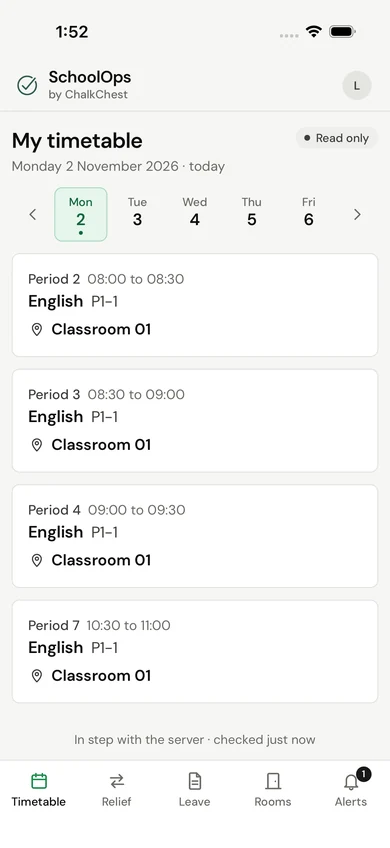
Follow one school day: the timetable goes out, a teacher reports an absence, relief is decided and the lesson is handed over.
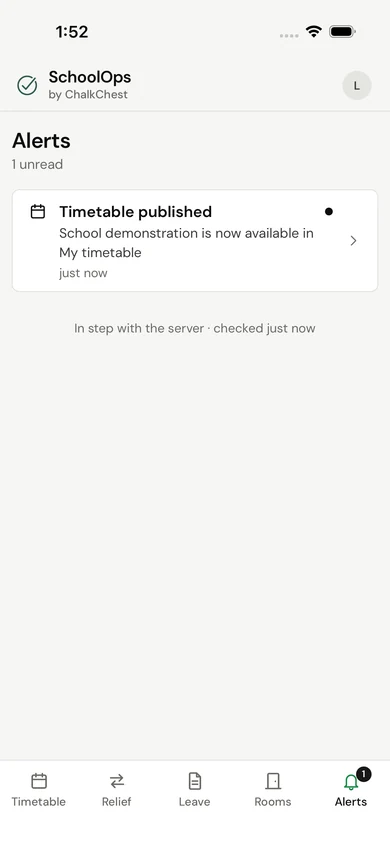
Step 1 of 4
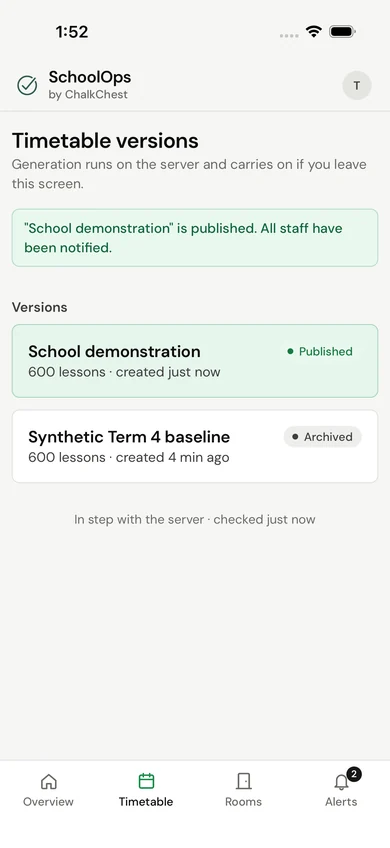
One timetable, the same for everyone.
A planner generates a version, SchoolOps checks it against the school’s rules, and the planner publishes it. Each teacher then sees their own lessons and venues.
Actual product screens · Fictional demo data
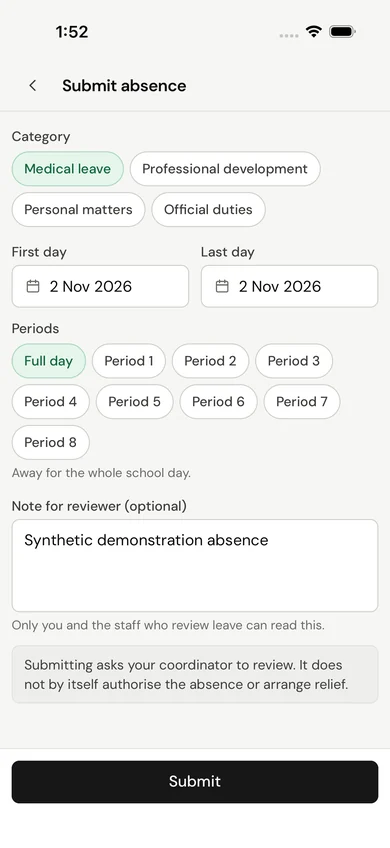
Step 2 of 4
A request with the facts in it.
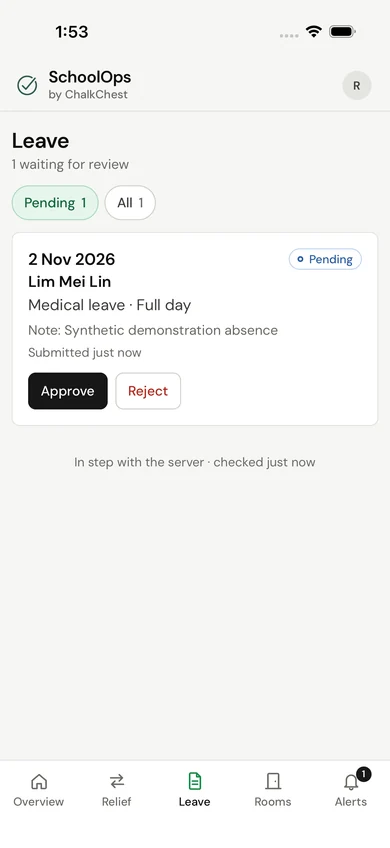
A teacher submits the dates, the periods and a note. Nothing is arranged until the staff who review leave approve it.
Actual product screens · Fictional demo data
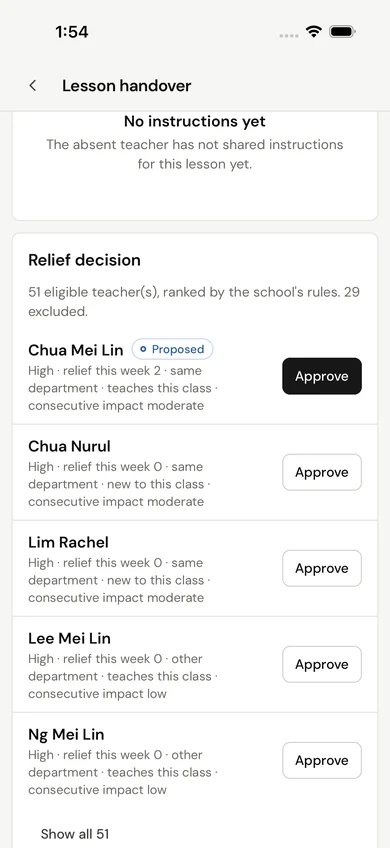
Step 3 of 4
Who can cover, and why.
SchoolOps finds the lessons affected and ranks the teachers who are free and eligible, with the reasons beside each name. The coordinator approves.
Actual product screens · Fictional demo data
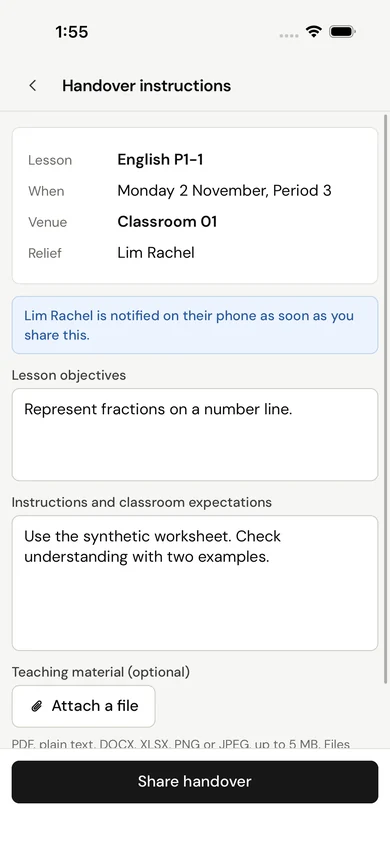
Step 4 of 4
The lesson reaches the right person.
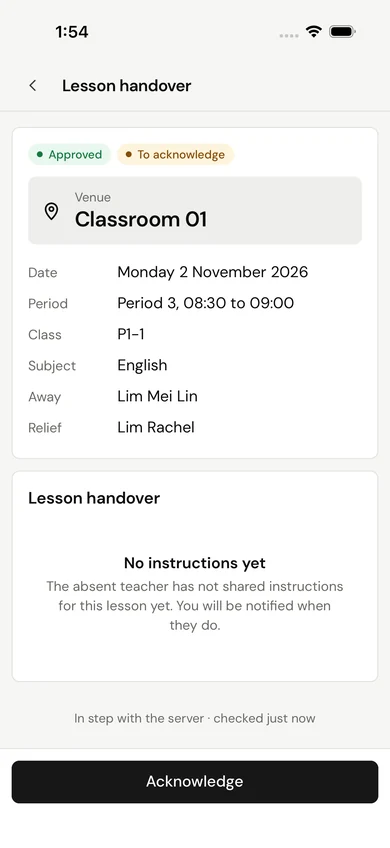
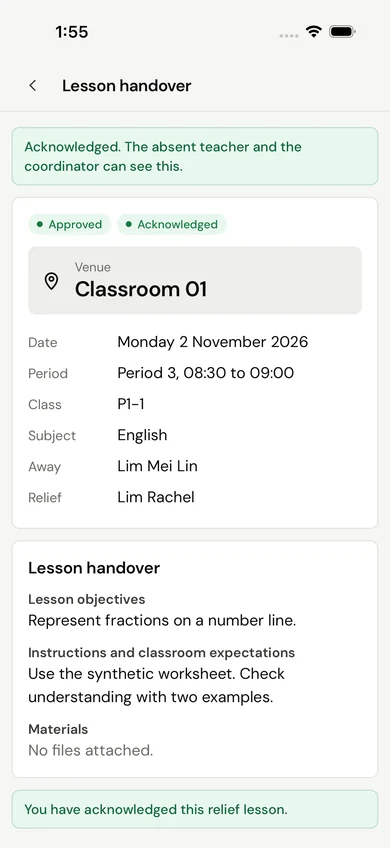
The absent teacher shares objectives and instructions with the relief teacher, who acknowledges them. Nobody has to pass a message along.
Actual product screens · Fictional demo data
For the school office
Rooms, reports
and a clear record.
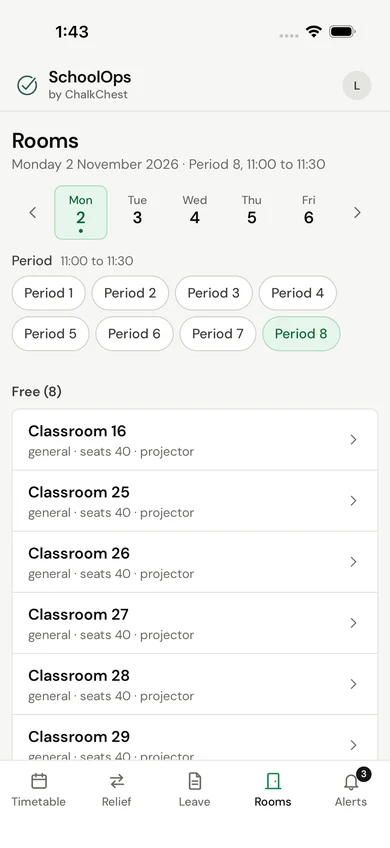
See which rooms are free in any period, block a venue or move a lesson. A venue move is checked for room type, capacity and clashes before it is saved.
- Free rooms, period by period
- Workload and timetable reports to export
- A record of who changed what
For teachers
Your day,
wherever you are.
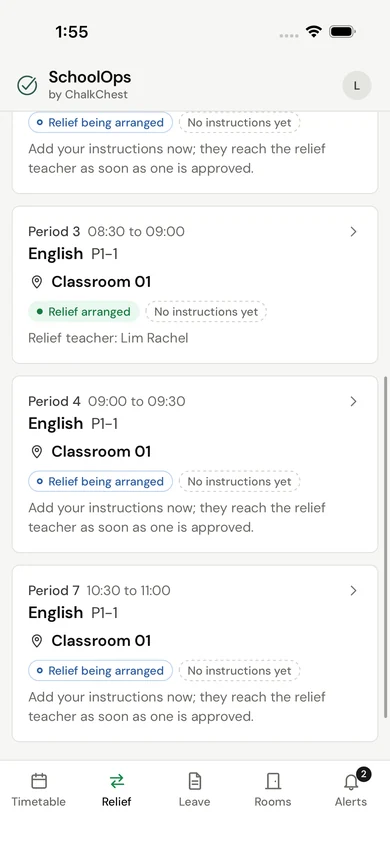
Teachers see their own lessons and venues, their relief duties and what has changed. When they are away, they can see who is covering each lesson.
- Your own timetable, read only
- Relief duties with the handover
- Alerts when something changes
Your staff stay in charge
The system proposes.
A person decides.
SchoolOps does the checking: who is free, who is exempt, who has already covered this week. The decision stays with your coordinator.
No relief is assigned until a coordinator approves it.
- 01 Propose
- 02 Review
- 03 Approve
Checked before anyone is proposed
- Free in that period
- Not exempt from relief
- Within the school’s relief limit
- The room is available
A higher ranking never overrides one of these. If nobody is eligible, the lesson stays marked as unfilled.
Then ranked by
- Relief already taken this week
- Same subject department
- Already teaches the class
- Effect on back-to-back periods
The details that make a difference
More than a timetable.
The day kept in step.
The small things that stop a change in one place from being missed in another.
Plans change. Relief follows.
When leave is withdrawn or cancelled, cover that is no longer needed is released and the people affected are told.
Each role sees its own work.
Teachers see their own lessons, leave and duties. Planners, coordinators and administrators see what their job needs.
A record of every decision.
Approvals, changes and cancellations are kept with who made them and when.
A little more clarity
Questions
& answers.
Thinking about SchoolOps for your school? Start here.
Talk to usDoes SchoolOps decide who covers a lesson?
No. It finds the teachers who are free and eligible, ranks them by your school’s rules and shows the reasons beside each name. A coordinator approves each assignment.
What if nobody is free?
The lesson stays marked as unfilled, so the coordinator can see it and decide what to do. A higher ranking never overrides a teacher who is unavailable, exempt or over the school’s limit.
Is SchoolOps AI?
No. Timetables and relief options come from a rules-based scheduling engine that works from your school’s constraints. People make the decisions.
What do staff use it on?
A current web browser on a laptop, tablet or phone. The screens on this page are from the SchoolOps phone app, which we show in a demo.
What do we need to get started?
Your teachers, classes, subjects and rooms. They can be loaded from a spreadsheet template, and a file with errors is rejected as a whole, so nothing is half loaded.
Who can see a teacher’s leave?
The teacher, and the staff who review leave. A teacher sees their own timetable, leave and relief duties, not another teacher’s leave.
Does it work with Markly?
They are separate tools from the same team. Your school can use either one, or both.
Can we see it with a timetable like ours?
Yes. Ask for a demo and tell us the size of your school and how your timetable is structured. We will say plainly what fits today.
Introducing SchoolOps by ChalkChest
See a school day
run through it.
Tell us the size of your school and how your timetable works.
We’ll walk you through it with made-up data.